

目前所在位置:首頁 > android > 多媒體 > Pixlr Express
|
|
|

|
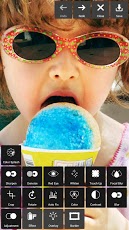
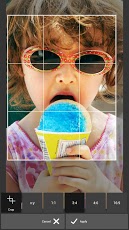
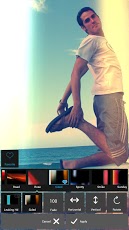
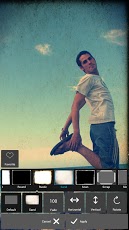
Pixlr Express Pixlr Express好用專業級相機特效 Pixlr Express is a fun and free photo editor that lets you quickly crop, re-size, and fix any picture, remove red-eye, and whiten teeth. Then choose from more than 600 effects, overlays, and borders to personalize any image—all for free. From the makers of Pixlr-o-matic, Pixlr Express will make you look like a pro, even if you’ve never edited a photo before. ✓ Crop, resize, straighten and rotate images easily. ✓ ‘Auto Fix’ photos for a one-click fix to balance out colors, adjusting for dark photos and poor lighting conditions. ✓ Remove red-eye and whiten teeth with simple tools. ✓ Overlays help you adjust the mood – amplify the tone, cool it down, or add surreal shades. ✓ Lighting effects can add drama, sparkle or a grunge look. Easily adjust the intensity and orientation of each effect. ✓Finish off your photo process with the right border – pick a style that fits you. ✓Look like a pro with cool photo effects like focal blur, denoise and more. ✓Explore color tools to adjust contrast, brighten, or focus on one color with a color splash. ✓Keep track of your favorite effects and overlays with the favorites button. ✓Share your photo directly with your friends through Facebook, Instagram, twitter or any of your favorite sharing apps, or just save it back to your Gallery. ✓No camera required! Select a photo from your gallery and start applying filters. If your device has a camera, you can also snap a new picture from within the app. Pixlr Express讓你快速剪裁, 調整大小, 修補, 移除紅眼, 提高牙齒亮白等 更提供多達六百種以上特效, 模板及邊框, 讓你隨心所欲客製化自己專屬的影像! 而且完全免費! 由知名影像軟體團隊Autodesk Inc.製作, 該團隊的強項是工程繪圖軟體, 之前就曾推出好用的修圖軟體Pixlr-o-matic, 在Google Play上有超過千萬次的下載, 現在推出的Pixlr Express則為進階版, 該團隊對使用者信心喊話: 即使之前未曾有過編修照片的經驗也能讓你有專業的表現! ✓基本裁剪,調整大小與旋轉 ✓“自動修復”功能,為自動平衡顏色,調整照片明暗 ✓簡單消除紅眼,美白牙齒工具 ✓套用模板,調整照片氛圍,如冷色調或加入陰影 ✓打亮效果,加入閃耀或煙花,且可調整特效強度與方向 ✓提供多款邊框供選擇 ✓酷特效,如景深效果,焦點模糊,降低雜訊等 ✓色彩工具可調整對比,明亮度,或調整彩度與飽和度 ✓我的最愛功能,將常用的特效加入最愛,下次使用即可直接套用 ✓直接透過Facebook,Instagram,Twitter分享,或保存於手機圖庫 ✓無須相機!從圖庫選擇一張照片,即可開始使用。如果手機有鏡頭,也可拍攝後立即使用Pixlr Express特效。 |
如果你曾經使用Pixlr-o-matic作為手機上的修圖軟體, 那麼你更會喜愛Pixlr Express! 提供更為多樣且彈性的自主調整, 而非市面上單純套用的模板! 滿足你對進階修圖的需求! 其實有很多網友反映Pixlr-o-matic已經很好用了! 但也有人提出, 部分Pixlr-o-matic短缺的功能, 已由Pixlr Express補足! Google Play上評比直逼五顆星, 高達86%的使用者皆給予最高評價, 是款頗令人滿意的專業隨身修圖軟體! |
|


| 下載連結:http://goo.gl/VliZR | |
| 軟體官網: | |
Tags:修圖,相機,鏡頭,美術,Pixlr-o-matic,Pixlr Express,Autodesk |
◎發表您對此軟體的看法:
|
|